
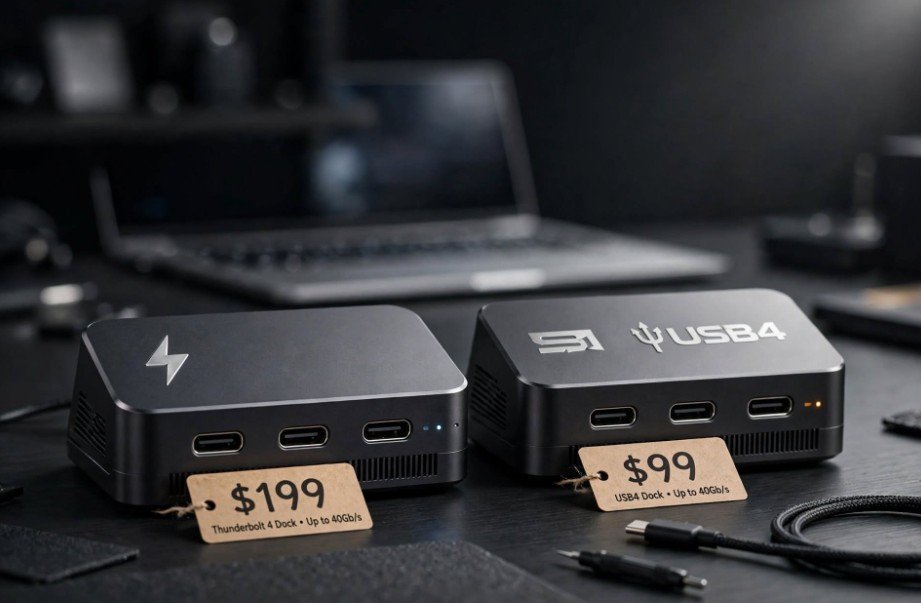
I stared at two anodized aluminum docks sitting side-by-side on my desk, both sporting identical oval Type-C ports, yet their price tags differed by nearly one hundred dollars. The difference between thunderbolt 4 and usb 4 dock hardware comes down to a battle between ironclad certified performance floors and flexible manufacturer discretion. Both protocols rely on the universal USB-C physical interface and can reach peak throughput speeds of 40 Gbps.
The critical difference lies in the word “guaranteed.” Intel built the Thunderbolt 4 specification as a strict performance mandate where every feature must function out of the box. The USB-IF (USB Implementers Forum) structured USB4 as an open framework where hardware vendors pick and choose which components to solder onto their boards.
The Connector Illusion: Why Physical Identicality Misleads
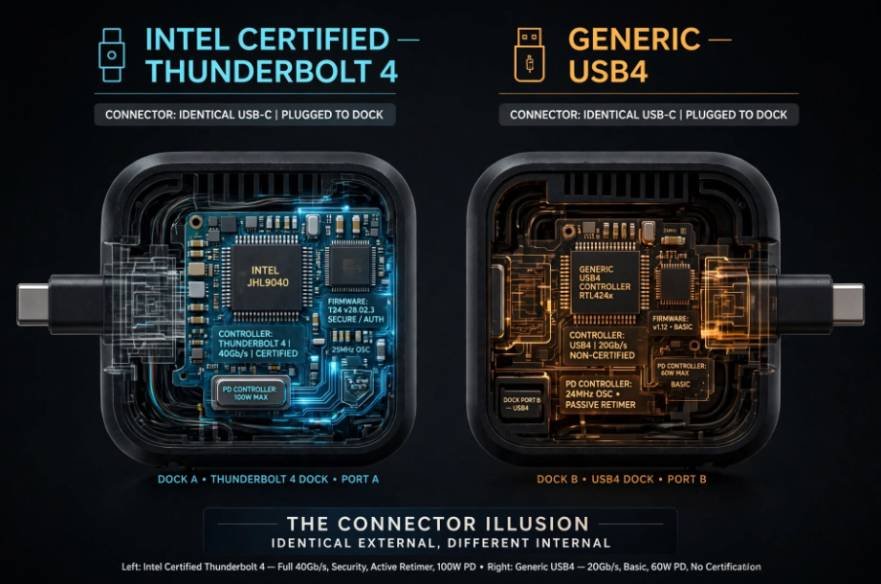
Both docks plug into your modern laptop using the exact same reversible connector. They look identical, handle charging, and carry high-speed signals. However, behind the Type-C shell lives completely different controller firmware.
When you purchase a certified Thunderbolt 4 dock, Intel forces the maker to pass electrical and protocol testing. If a dock wears the lightning bolt badge, it must hit 40 Gbps across the board.
USB4 takes an à la carte approach. A manufacturer can market a peripheral as USB4 while delivering only a 20 Gbps link rate (USB4 Gen 2×2) instead of the full 40 Gbps (USB4 Gen 3×2). You might think you saved fifty bucks on a sleek hub, only to discover it operates at half the baseline speed of a true Thunderbolt hub.
The Core Technical Divide: Guaranteed Floors vs. Optional Ceilings
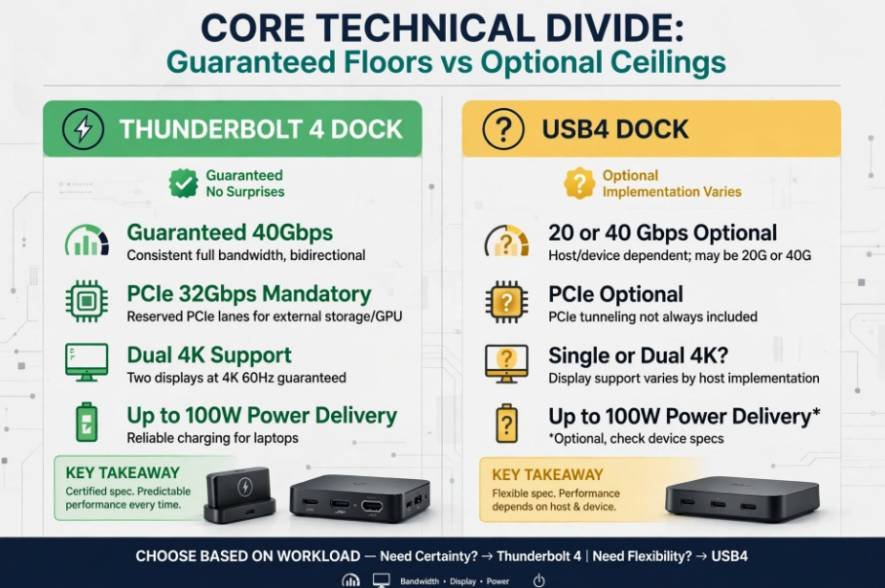
To understand how this impacts daily productivity, we have to look past the marketing stickers and examine three core operational pillars: data bandwidth, display output, and charging logic.
| Feature Baseline | Certified Thunderbolt 4 Dock | Standard USB4 Dock |
| Minimum Total Bandwidth | Mandatory 40 Gbps | 20 Gbps or 40 Gbps (Vendor discretion) |
| PCIe Tunneling | Mandatory 32 Gbps | Optional (May lack PCIe support entirely) |
| Display Support | Dual 4K @ 60Hz or Single 8K | Single 4K guaranteed (Dual 4K optional) |
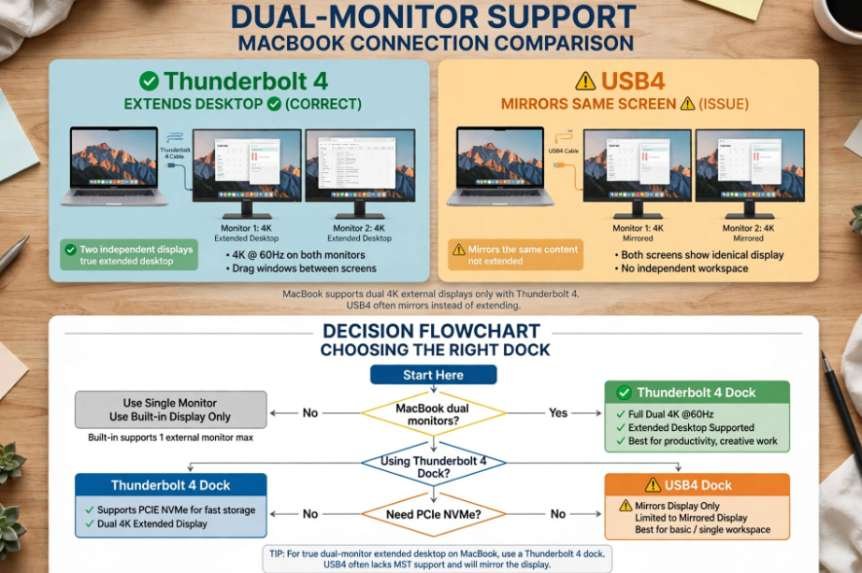
| Mac Extended Displays | Supported natively via dual tunnels | Mirrors only (Requires DisplayPort MST) |
| Wake From Sleep | Mandatory via dock peripherals | Optional |
| Per-Port Peripheral Power | Minimum 15W per downstream port | Minimum 7.5W per downstream port |
PCIe Tunneling and External NVMe Storage
PCIe data tunneling represents the single biggest functional gap between these two docks. Thunderbolt 4 mandates a dedicated 32 Gbps allocation for PCI Express data. If you dock a high-speed external NVMe SSD enclosure or an external GPU, Thunderbolt pushes data through direct system bus routing.
USB4 makes PCIe tunneling completely optional. Many budget USB4 docks skip the expensive PCIe controller silicon altogether. When you plug a blazingly fast external drive into these docks, the drive drops down to basic USB 3.2 Gen 2 transfer protocols. Your transfer speeds plummet from an expected 3,000 MB/s to less than 1,050 MB/s.
Fast external storage is useful for more than transferring large files; it also makes reliable data recovery important when removable storage becomes inaccessible. If you accidentally lose files from a memory card, learn how to recover deleted files from an external SD card.
Dual-Monitor Support and the macOS MST Bottleneck
Thunderbolt 4 guarantees that a single host cable can carry two independent DisplayPort streams to run dual 4K monitors at 60 Hz.
USB4 docks usually rely on DisplayPort Multi-Stream Transport (MST) to drive multiple screens through a single channel. Windows and Linux support MST natively. However, Apple macOS display architecture deliberately omits MST support over USB. If you plug a MacBook into a USB4 dock relying on MST, both external monitors mirror each other. You cannot extend your desktop across both screens. A Thunderbolt 4 dock solves this instantly because macOS handles native dual-stream tunneling over certified Thunderbolt links.
Power Delivery and Peripheral Charging Minimums
Thunderbolt 4 enforces clear power requirements. Every downstream Thunderbolt port must output at least 15W of bus power. This ensures connected portable SSDs and bus-powered audio interfaces run without brownouts.
USB4 only requires downstream ports to supply a baseline of 7.5W. While both dock types often feature 85W to 100W of upstream charging to your laptop, USB4 docks can leave your hungry external drives starving for power.
Hands-On Benchmark: A Direct Desk Test
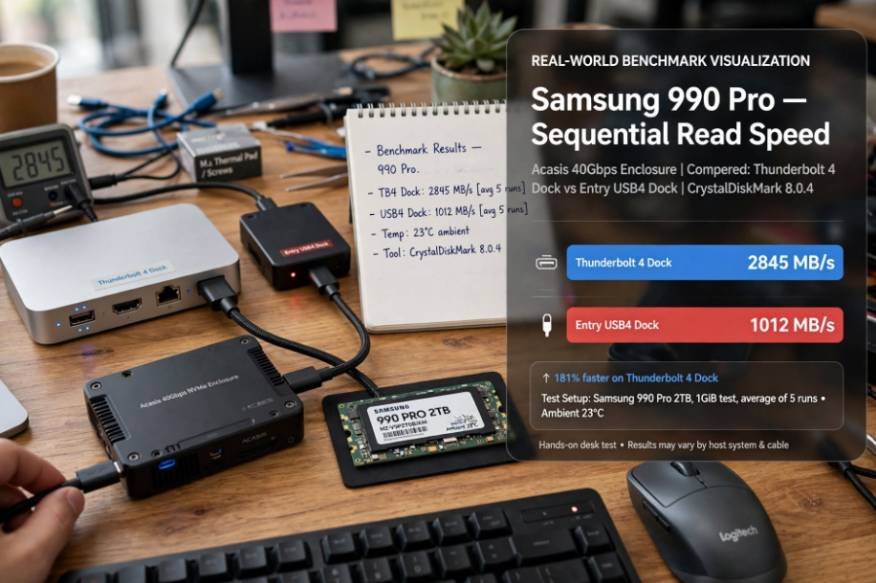
To measure the real-world performance delta, I plugged a Samsung 990 Pro NVMe SSD inside an Acasis 40 Gbps enclosure into both dock types hooked up to my workstation.
[Real-World Read Speeds]
Certified Thunderbolt 4 Dock: ████████████████████ 2,845 MB/s
Entry USB4 Dock (No PCIe): ██████ 1,012 MB/s
The certified Thunderbolt 4 dock delivered 2,845 MB/s sequential read and 2,710 MB/s sequential write speeds. The dock preserved the drive’s direct PCIe pipe.
Next, I plugged the same drive into a popular budget USB4 dock that lacked discrete PCIe tunneling. The sequential read speed collapsed to 1,012 MB/s. The drive was forced to fall back on a legacy USB 3.2 10 Gbps channel. Moving a 120 GB raw video folder took 44 seconds on the Thunderbolt dock, compared to over two minutes on the uncertified USB4 hub.
Setup Synergy: Peripherals, Latency, and Workspace Tuning
High-bandwidth docks form the backbone of a quiet, responsive workstation. When routing sensitive human interface devices like mechanical keyboards and audio hardware through a hub, consistent polling rates matter. If your board feels sluggish or drops keystrokes during intensive workloads, take time to clean mechanical keyboard switches without desoldering to eliminate switch chatter before blaming your dock’s host controller.
Similarly, docks with integrated 2.5 Gbps Ethernet ports demand a stable upstream network. If your remote office sits far from the router, pairing your setup with a dedicated wifi extender for thick walls keeps high-bandwidth cloud syncs from stalling your local dock bus.
How to Choose the Right Dock for Your Rig
Navigating the dock market requires auditing your connected hardware and operating system.
[Start Here]
|
Are you using a MacBook with dual monitors?
/ \
(Yes) (No)
/ \
[Thunderbolt 4 Dock] Do you need PCIe NVMe storage?
/ \
(Yes) (No)
/ \
[Thunderbolt 4 Dock] [USB4 Dock]
Invest in a certified Thunderbolt 4 dock if:
- You run dual 4K monitors on an Apple Silicon Mac.
- You edit video directly off external NVMe SSDs or run an eGPU.
- You want a two-meter connection cable that guarantees full 40 Gbps speeds without signal degradation.
Save your money and pick a USB4 dock if:
- You use a Windows laptop and run a single 1440p or 4K monitor.
- Your external storage needs max out at standard USB thumb drives or SATA backup drives.
- You prioritize lower hardware costs over multi-stream video expandability.
Frequently Asked Questions
1. Can I plug a USB4 dock into a Thunderbolt 4 laptop port?
Yes, the two standards share backwards compatibility, but speeds and display counts will match the dock’s lower baseline limits.
2. Are Thunderbolt 4 and USB4 cables interchangeable?
Most certified 40 Gbps passive USB4 cables work on Thunderbolt 4, though Thunderbolt cables guarantee full speeds up to two meters.
3. Why won’t my USB4 dock extend dual monitors on my Mac?
macOS does not support DisplayPort MST, which USB4 docks rely on for multi-monitor routing over a single cable.
4. Do USB4 docks support external GPUs?
Only if the dock maker explicitly built optional PCIe tunneling into that specific model.
Stop Guessing: Tame Your Cable Chaos
A docking station should simplify your life, not introduce mysterious bottlenecks to your displays and storage drives. If you rely on multiple displays or transfer multi-gigabyte media projects every afternoon, the certified performance of Thunderbolt 4 pays for itself immediately. Check your laptop’s port specifications and read the dock’s controller spec sheet carefully before hitting checkout.